
Vagabond Mobile Gaming Controller Quick Start GuideUpdated 8 months ago
Last Updated: January 11, 2026
Welcome to elite mobile gaming. The ELO Vagabond is a wired USB-C controller designed for zero-lag gameplay, ergonomic comfort, and full customization through the ELO Unleashed App.
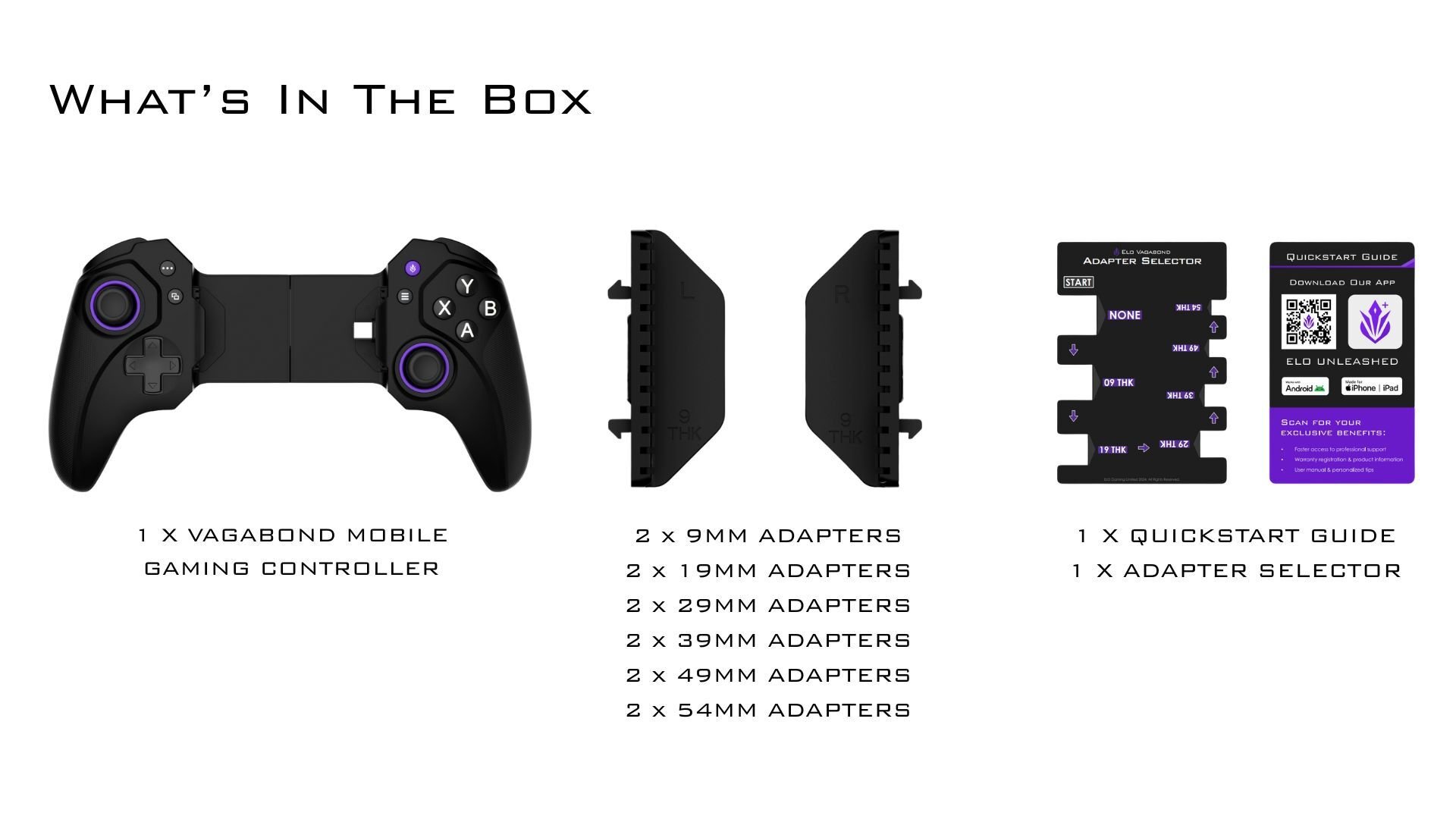
Adapter Selection
Choose the right adapter for your device to ensure a snug fit and proper USB-C alignment.
Available sizes:09 mm · 19 mm · 29 mm · 39 mm · 49 mm · 54 mm
📏 Use the included Sizing Guide to determine the correct adapter based on your phone and case thickness.
Installation & Setup
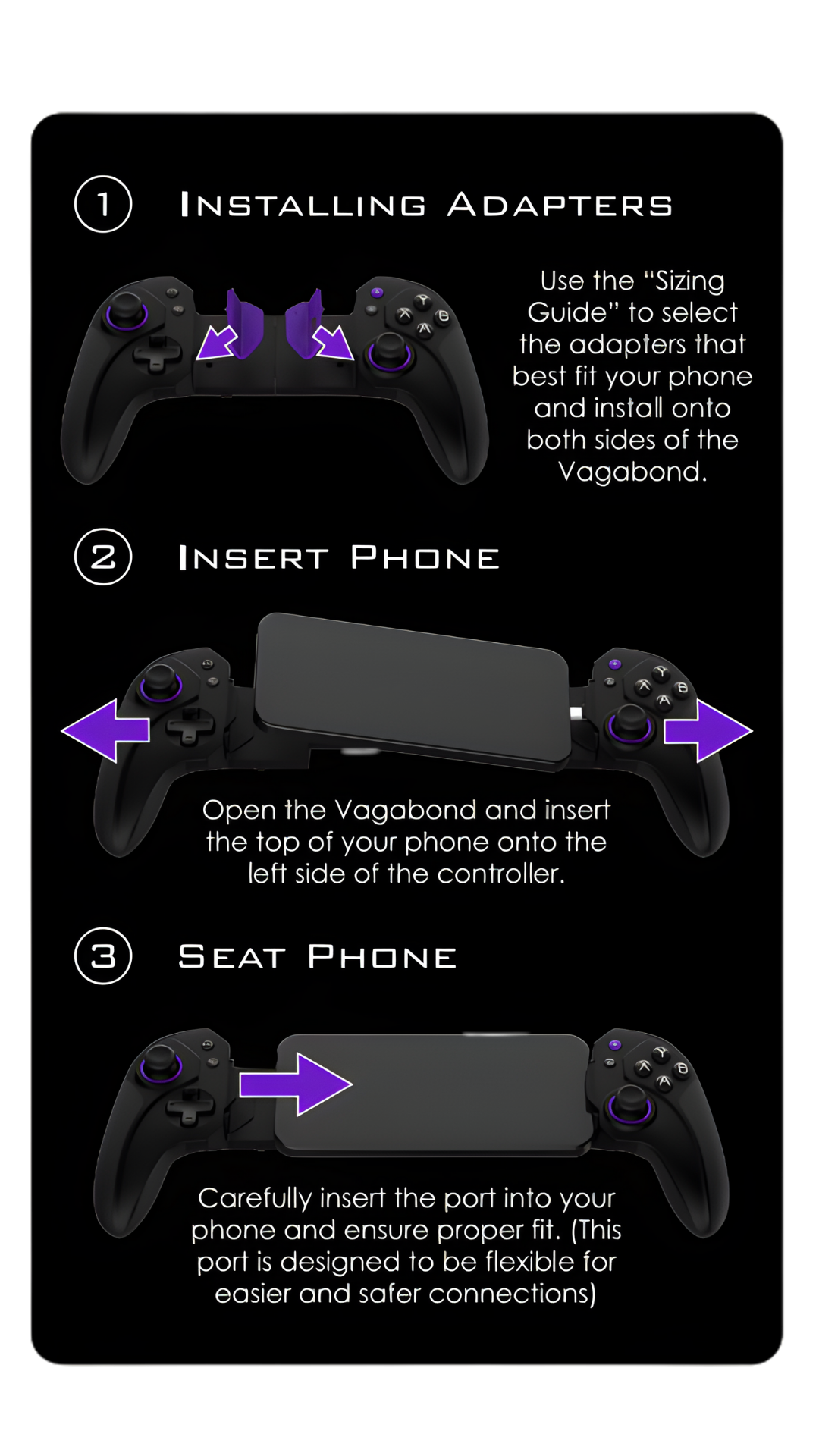
Step 1: Install the Adapters
- Select the adapter size for your device
- Snap them onto both sides of the Vagabond controller
Step 2: Insert Your Phone
- Open the Vagabond
- Insert the top of your phone into the left side of the controller
Step 3: Seat and Connect
- Carefully connect the USB-C port on the right side
- The flexible port allows smooth, secure connection
Step 4: Download the ELO Unleashed App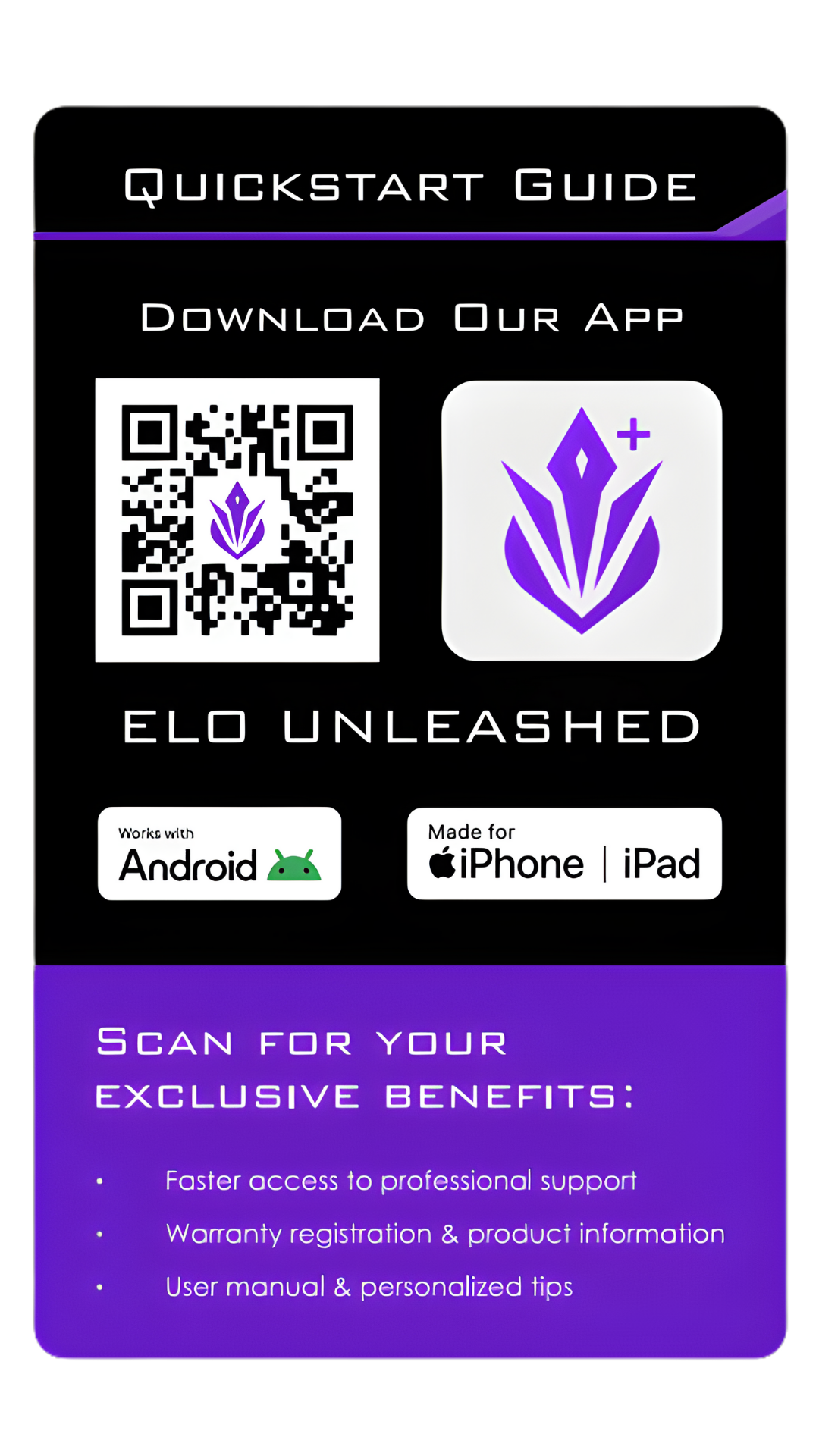
Available for:
- Android
- iPhone / iPad
Use the app for:
- Firmware updates
- Button mapping
- Back paddle configuration
- Product registration
- Access to manuals and support
Step 5: Update Firmware
Before first use:
- Connect Vagabond to your phone
- Open the ELO Unleashed App
- Navigate to Firmware Update
- Follow on-screen instructions
⚠️ Do not disconnect the controller during the update
Step 6: Customize Your Controls
Through the ELO Unleashed App, you can:
- Remap face buttons
- Assign and configure back paddles
- Set up custom layouts per game
- Enable virtual touch mapping (for supported Android games)
Troubleshooting
Controller Not Responding
- Confirm latest firmware is installed
- Unplug and reconnect
- Try a different device if possible
Game Not Detecting Input
- Make sure the game supports controllers
- On Android, enable the Virtual Touch Mapper
Back Paddles Not Working
- Open ELO Unleashed
- Map paddles manually via the app
Safety & Usage
- Use only with certified devices and adapters
- Avoid exposure to fire, water, or extreme heat
- Stop use immediately if the device is damaged
- Keep out of reach of small children
ELO Shield™ 2-Year Limited Warranty
Your Vagabond is backed by our ELO Shield Core Warranty — 2 years of protection against defects in materials and workmanship under normal use.
What’s Covered
- Manufacturing defects
- Functional failures during normal use
What’s Not Covered
- Damage from accidents, misuse, or tampering
- Cosmetic wear and tear (scratches, etc.)
- Unauthorized modifications or repairs
Warranty Registration
To activate your warranty:
- Open the ELO Unleashed App
- Go to Product Registration
- Enter your serial number
- Upload proof of purchase
Once registered, your 2-year warranty is active.
Filing a Warranty Claim
If you run into issues:
- Option 1: Submit a claim directly in the ELO Unleashed App
- Option 2: Visit www.help.eloesports.com/contact
Our team will assist you with troubleshooting and, if needed, a repair or replacement.
📝 Jurisdiction: Warranty disputes are governed by the laws of Toronto, Canada.
Shipping & Service Costs
Covered Claims
- ELO will send you a prepaid return label
- We’ll cover shipping both ways for approved warranty claims
Non-Covered Claims
If the issue is not covered (e.g., accidental damage), you’ll receive:
- A repair/replacement quote
You may be responsible for:
- Inbound shipping
- A restocking/evaluation fee (up to 15% of purchase price) if you decline the repair
Need help? Contact us at [email protected] or call +1 512-807-0031 — we’ve got your back.