
How do I set up my ELO Ambassador account and claim my gift?Updated 4 months ago
Last Updated: May 21, 2026
Welcome to the ELO Ambassador Program. Once you've been accepted, this guide walks you through claiming your welcome gift, setting up your account, and receiving your first payout.
Claiming Your Gift & Account Setup
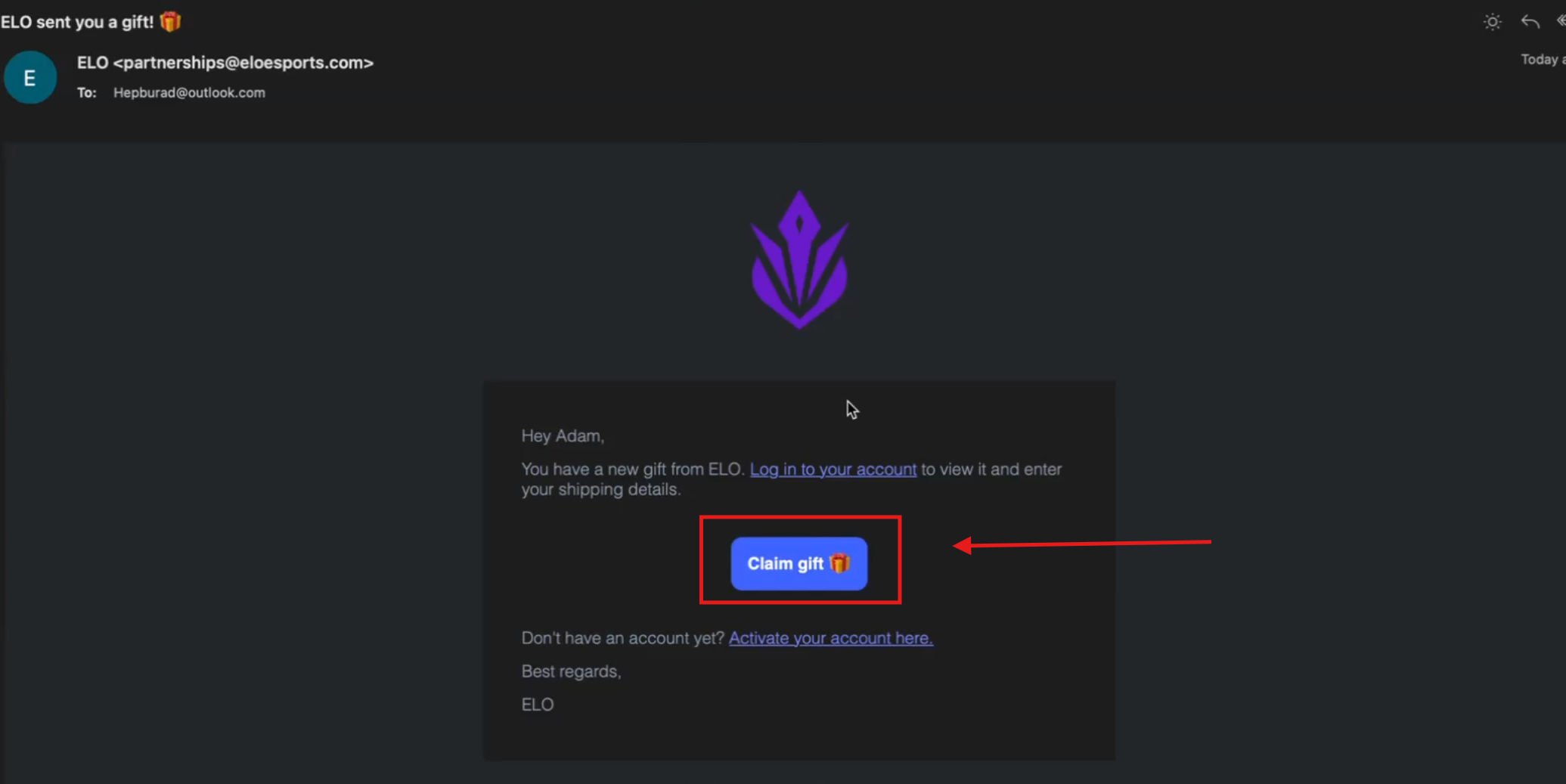
Step 1: Open your welcome email and claim your gift
- Look for the email with the subject "Welcome to ELO Affiliate Program." Open it and click Claim Gift. This takes you directly to the account signup flow.
Step 2: Create and verify your account
- Complete the signup form on the gift claim page. Check your inbox to verify your email, then log in once your account is confirmed.
Step 3: Select the ELO brand
- After logging in, you may see multiple brands listed. Select ELO to access your ambassador dashboard.
Step 4: Redeem your gift and place your product order
- Click Redeem Gift inside the ELO brand area
- Add up to four products to your order
- Click Continue to Checkout
- Enter your shipping information and submit
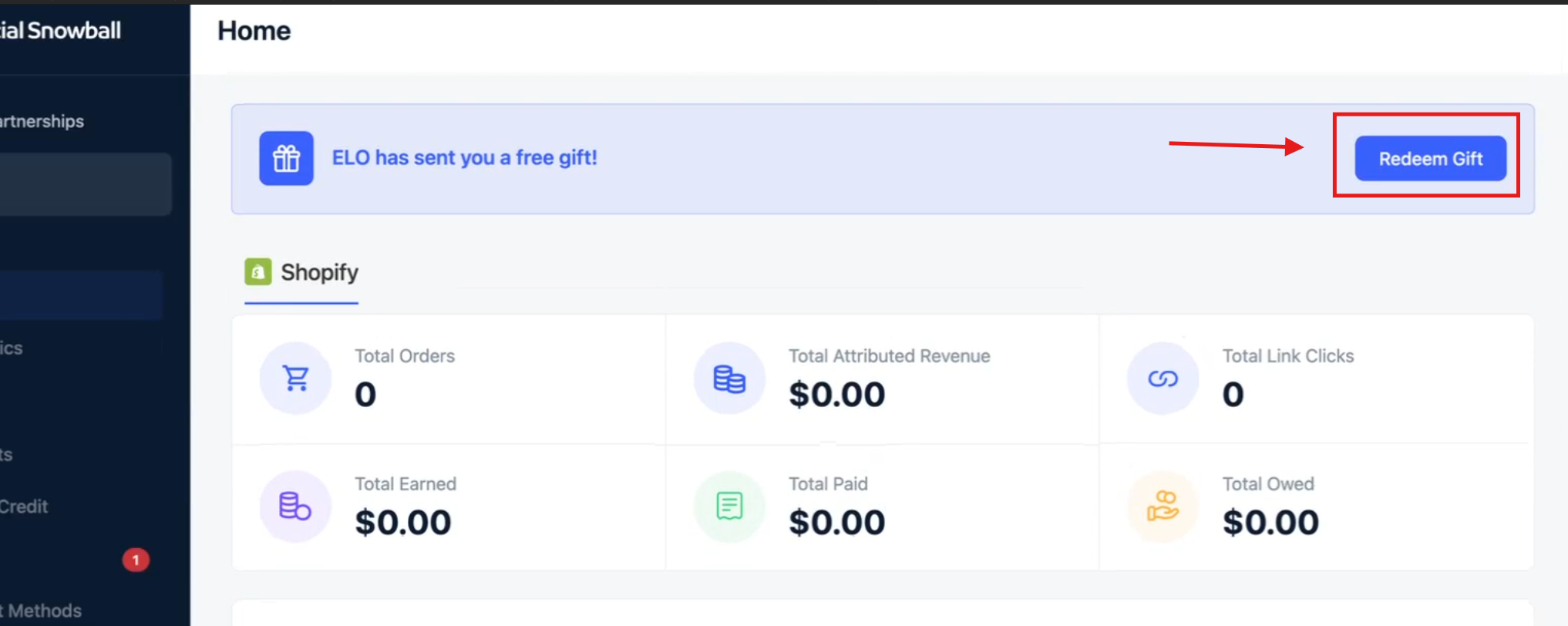
Your order will be processed and shipped to you.
How Payouts Work
ELO pays ambassadors through Tremendous — our rewards and payout partner. Here's what to expect:
- Your first payout becomes available 30–45 days after your first qualifying order
- The 30-day wait reflects ELO's return period — payouts are only released after the return window closes
- Once cleared, your earnings move to "ready" status and are sent on the 1st of every month
- Allow up to 7 days after the 1st for funds to fully settle in your account
💡 You only need to set up your payout method once. After that, your earnings are deposited automatically each month.
Setting Up Your Payout
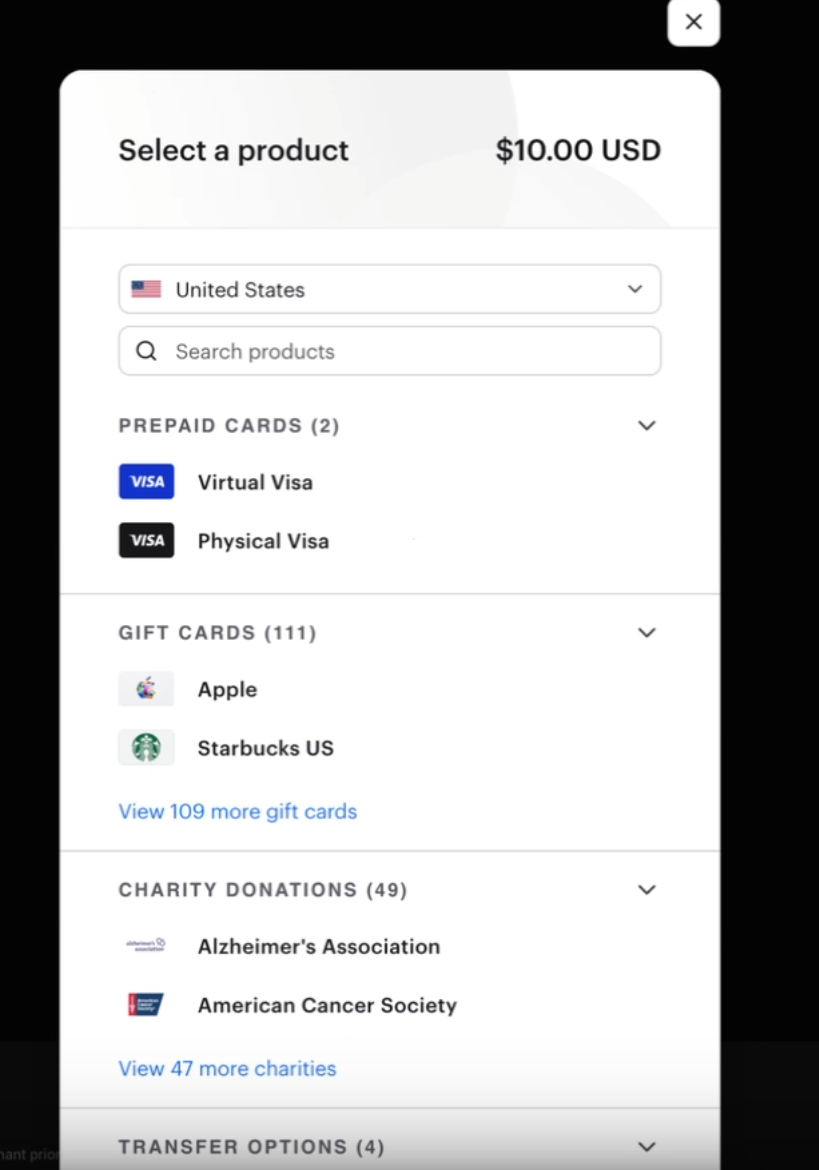
Step 5: Redeem your first payout through Tremendous
When your first payout is ready, you'll receive an email from Tremendous. Open it and click Redeem. Choose how you want to receive your payment:
- Bank transfer (routing and account number required)
- PayPal
- Venmo
- Virtual Visa
Enter your details and confirm. This setup only needs to be done once.
Managing Your Dashboard
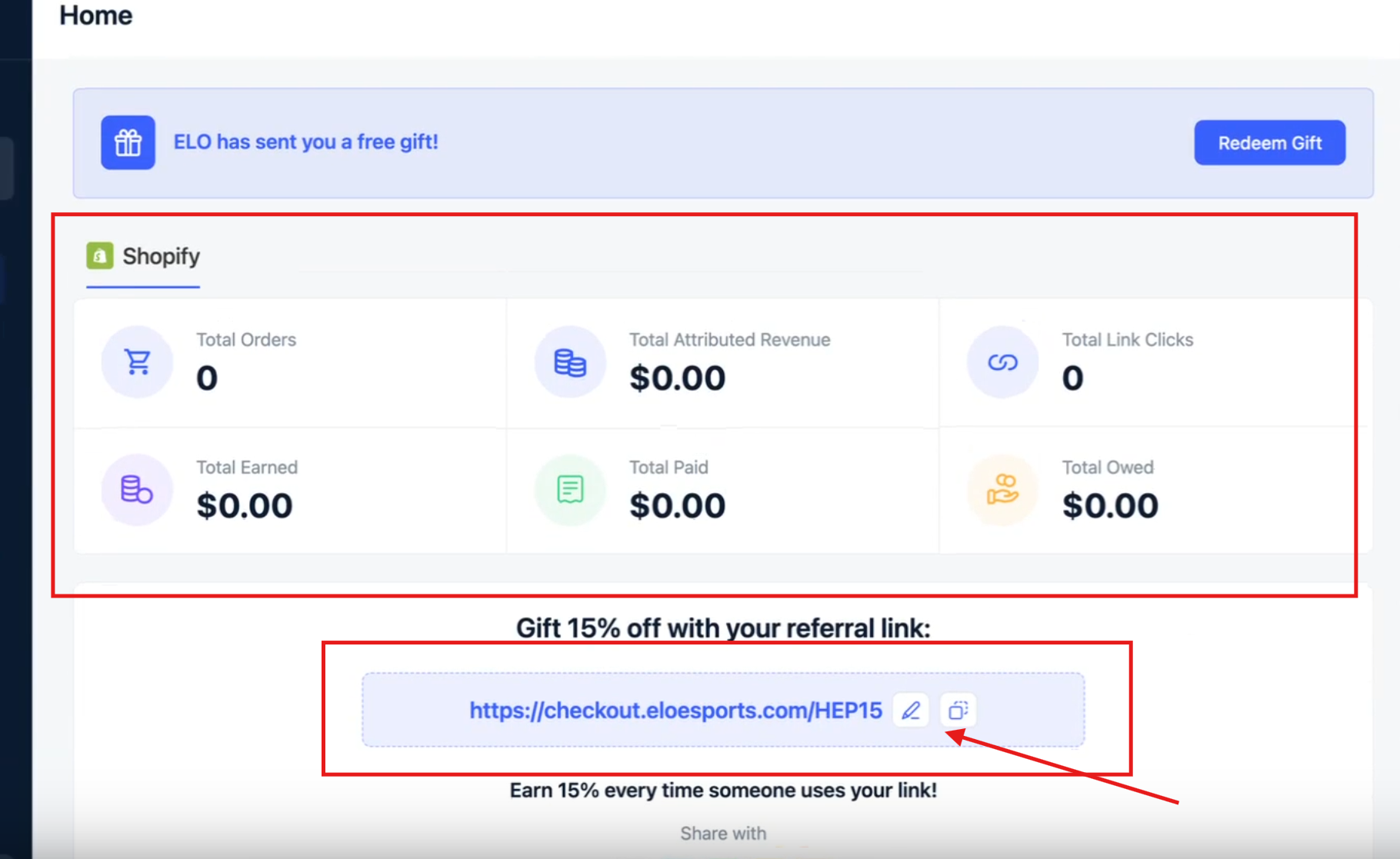
Once you're set up, your ambassador dashboard lets you:
- View how many orders have come through your link
- Edit your affiliate link or promo code
- Connect your TikTok account and TikTok Shop for automatic code generation
- Review your payout history
Notification & Account Settings
To configure your settings:
- Click Settings in the bottom-left corner of your dashboard
- Turn on email notifications for earnings, payouts, and commissions
- Connect your social accounts under the social accounts section
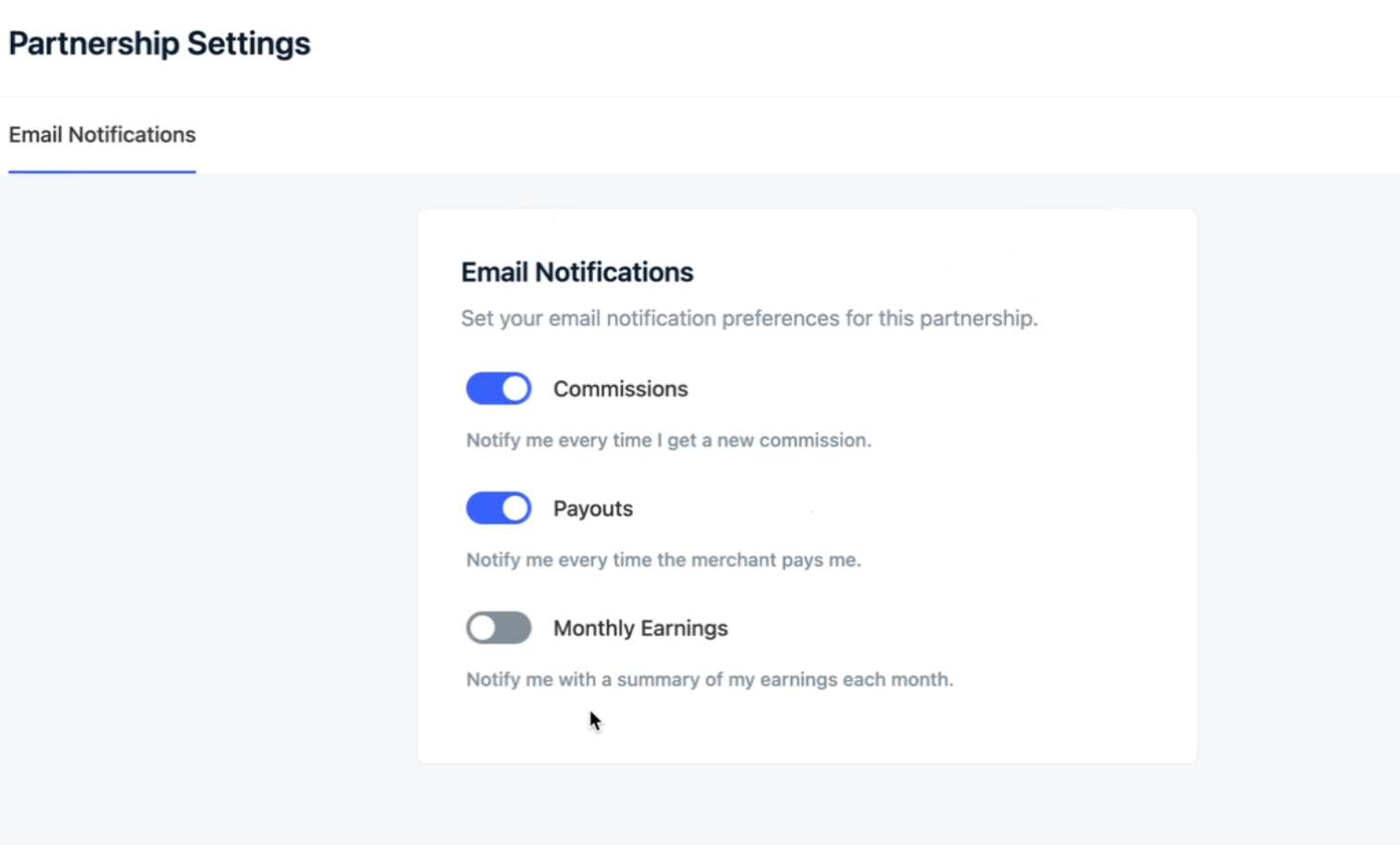
Once these are set, your onboarding is complete and you're ready to go.
Need help? Contact us at [email protected] or call +1 512-807-0031 — we’ve got your back.